make Bootable Pen drive.
How to make Bootable Pen drive in Windows 7 without any Software
Suppose you have to install Windows 7 in Notbook / Notepad but CD / DVD ROM is not available in the Notebook, then You will have to Install Windows 7 with the help of Bootable Pendrive .You can make Pendrive Bootable in Windows 7 without any software help .
Tools Required .
- Windows 7 CD/DVD setup
- USB flash drive with min 4GB capacity
Follow these steps to make Pendrive Bootable in windows 7
1. Insert USB Flash drive .
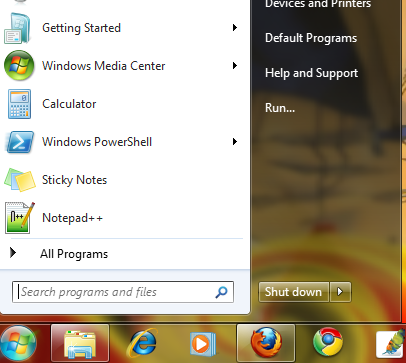
2. Click on Start Button , then Type , then click on RUN and type cmd.
or press window button+R.

And Type List Disk command to show List of drive.

Now List of the Drive in your system , By default Disk 0 is Hard disk drve , and Disk 1 is USB flash Drive in my system , it can be different in your system .
3. Now Type SELECT DISK 1 , DISK 1 is to USB flash drive in my system , number can be different in your system .

4. Now Run following command one by one
DISKPART> CLEAN
DISKPART> CREATE PARTITION PRIMARY
DISKPART> SELECT PARTITION
DISKPART> ACTIVE
DISKPART> FORMATE FS=NTFS
DISKPART> ASSIGN
DISKPART> EXIT

5.Now Mount the IMAGE of the windows CD/DVD on the virtual drive or put the CD on the optical drive and copy all the contents of the optical disk to the pen drive, and Note down CD/DVD drive letter and USB Flash drive (Pen drive ) Letter .
CD/DVD drive letter is ‘ F ‘
USB Flash Drive letter is ‘ I ‘
6.Type in command prompt….
C:\windows\system32\F:
F:\> CD BOOT
F:\> boot>BOOTSECT.EXE /NT60 I:

 Techknow_Study


